I'm Terrible at Drawing — This Light Pad Made Me Look Good
Tracing light pad review: I'm a terrible artist, yet it let me trace a printed outline convincingly with a gel pen. Build and brightness checked.
Published September 18, 2026 · Last updated October 31, 2026
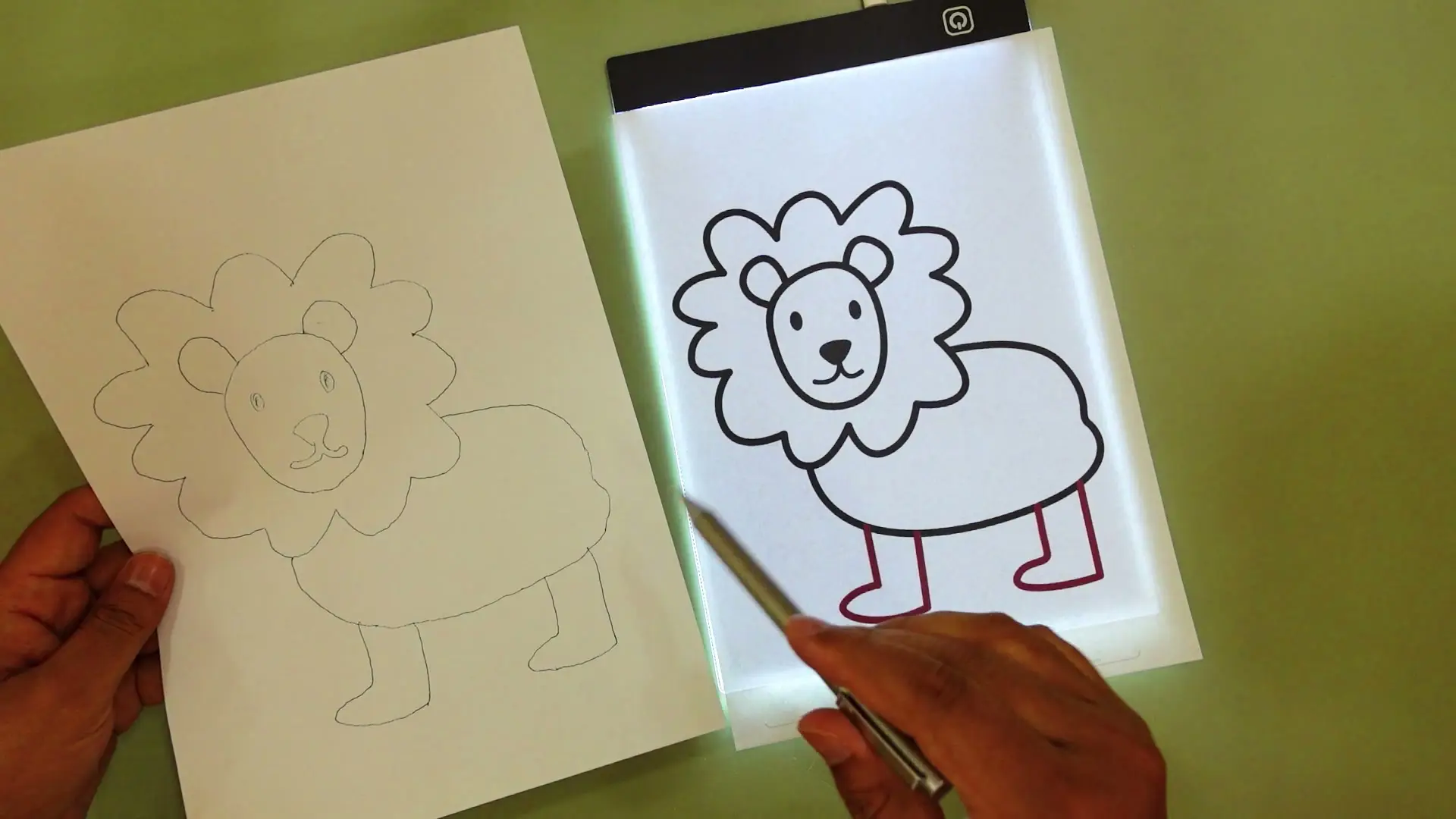
Tested context
Unboxed and tested an LED tracing light pad on camera: checked the build quality and connector, powered it on and ran through all three brightness levels, set a printed outline sheet under a fresh sheet of blank paper, and traced the outline live with an ordinary gel pen to see whether someone with genuinely no drawing skill could get a usable result.
Verdict
This little light pad does exactly one job and does it well: it makes an outline visible enough through a top sheet of paper that you can trace it convincingly, even if you have zero natural drawing ability. The surface is smooth and the build feels solid everywhere except the very center of the panel, which is the one spot that felt like a weak point. The charging port is micro-USB rather than USB-C, which is a little behind the times but not a dealbreaker. The traced outline was visible even without the light on, but the light makes it easier on the eyes.
Pros
- Makes tracing genuinely achievable for someone with no drawing skill — I got a traced result I liked better than the printed original
- Smooth surface that's comfortable to draw on
- Three distinct brightness levels — noticeably easier on the eyes with the light on
- Solid build across most of the panel
- Simple to set up — outline sheet on the pad, blank paper on top, trace
Cons
- Charging port is micro-USB, not USB-C
- The center of the panel feels like the weakest point structurally — kids could plausibly stress it there
- Not quite full A4 size — a standard A4 sheet fits, but barely
I am genuinely terrible at drawing. Art class was the one class I actively dreaded growing up, and I've made sure my own kids got more support in that department than I ever did. So when this tracing light pad, an LED one made for kids, landed in my hands, I had one real question: could this thing make someone with no drawing skill at all produce something that actually looks decent?
Watch the full video review on YouTube.
Build quality: smooth surface, one weak spot, and an older charging port
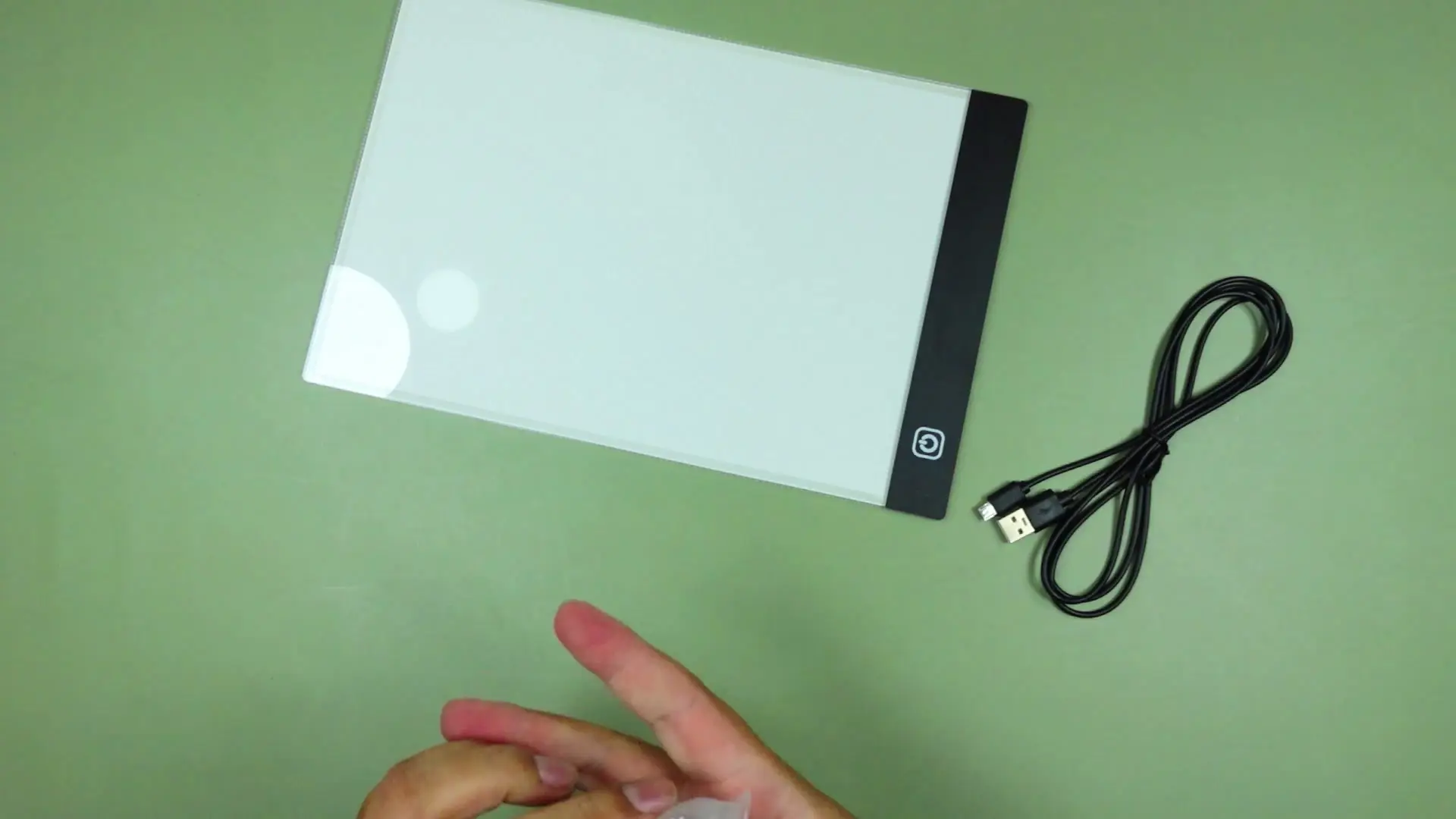
Out of the box, the surface is smooth — genuinely nice to draw on, and it's clear some attention went into the finish. It still had some of its plastic wrapping on when I started checking it out. The charging input is micro-USB rather than USB-C, which isn't a huge deal but isn't exactly cutting-edge either. Pressing around the panel, most of it feels solid, but the very center is the one spot that gives a little more than the rest — the reinforcement seems to be built into the frame rather than the middle of the panel itself. It's not something I'd call fragile, but if a kid were going to break this, that's the spot.
It doesn't fit a completely full A4 sheet with room to spare — the paper barely fits — so keep that in mind if you're planning to use full-size sheets regularly.
How it actually works: outline underneath, blank paper on top
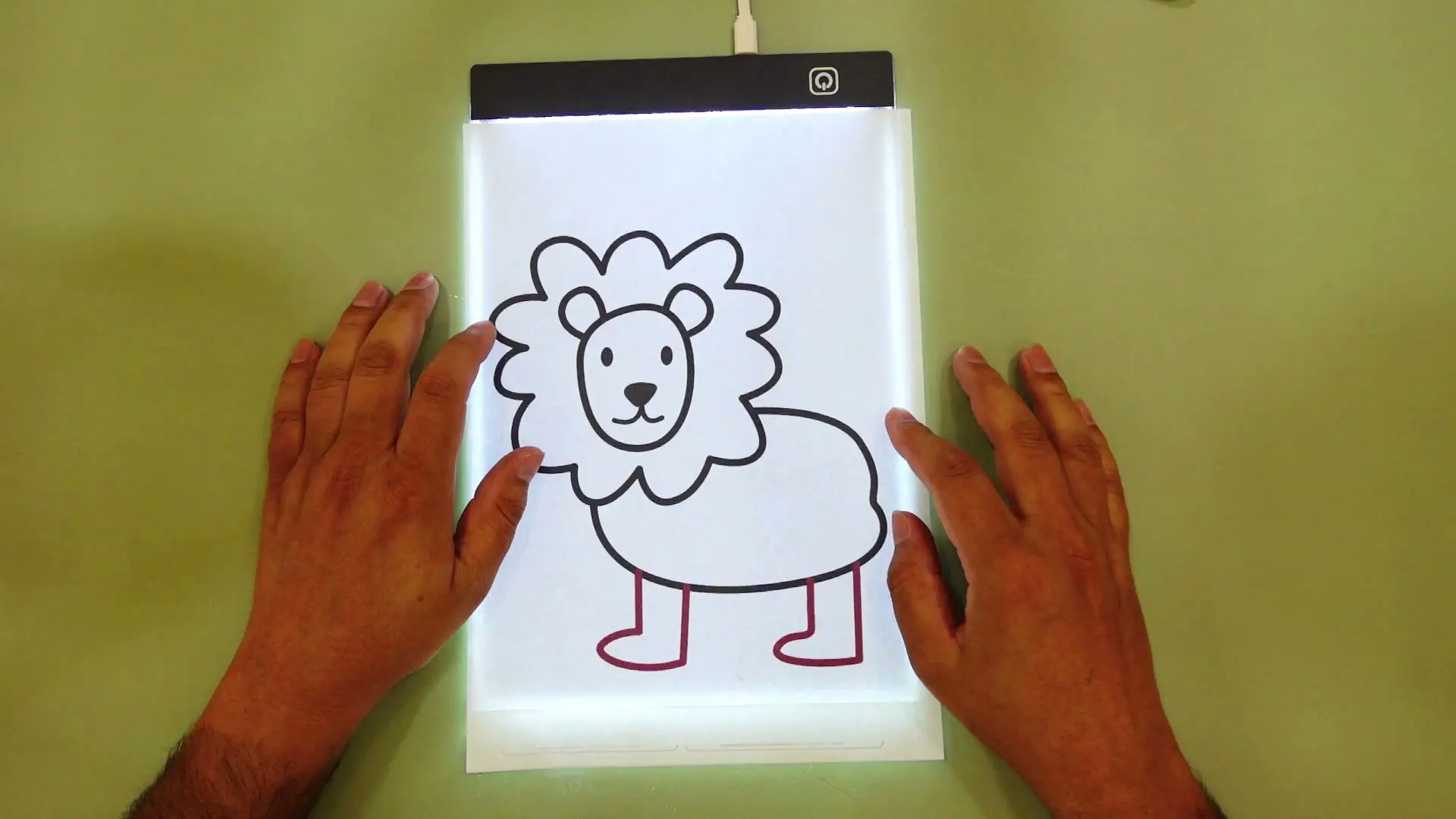
The concept is simple. Turn the pad on, place your printed outline sheet on it, then lay a fresh, blank sheet of paper on top. The light shines through both sheets, and the outline underneath becomes visible enough on the top sheet that you can trace directly over it.
There are three brightness levels. Honestly, the outline was visible even with the light off entirely, just from ambient light — but turning the pad on made it easier on the eyes.
I didn't have a proper light pencil on hand (my kids have a habit of taking anything like that the moment they spot it), so I traced with an ordinary gel pen instead — no special tools required.
The tracing test — don't judge me
I picked a printed lion outline and started tracing, working through it section by section: the eyes first, then the outline of the face, then the mane. I'll be honest, I was narrating my own doubts the entire time — I fully expected to mess it up somewhere. There were moments I wished I'd had a highlighter instead of relying purely on line weight, and I was actively trying not to double up on lines where I didn't mean to.
The reveal — I actually liked mine better
When I held the finished trace up next to the original printed outline, the result was closer than I expected. Genuinely — if you'd told me beforehand I'd end up preferring my traced version's fine lines over the printed original, I wouldn't have believed you. That's really the whole pitch of a tool like this: it's not about the tracing being the finished art, it's about the repetition. Do it enough times and your hand starts building the muscle memory to get better at it.
Tracing light pad verdict
This is a simple, cheap gadget that does one job well: it makes tracing an outline genuinely doable, even for someone who has convinced themselves for years that they can't draw. The build has one soft spot in the center of the panel and an outdated charging port, but neither gets in the way of what it's actually for. If the goal is building drawing confidence — for a kid or, apparently, for me — it works.
Where to buy
This article contains affiliate links. If you buy through them, I may earn a commission at no extra cost to you.
Is this for you?
Who it’s for
Get this if you or your kids want a low-effort way to build drawing confidence and muscle memory by tracing real outlines, without needing any actual drawing talent to start.
Who should skip it
Skip it if you need a pad that comfortably fits full A4 paper with room to spare, or if you specifically need USB-C charging.
Watch the review
Open on YouTubeDisclosure
Hero and evidence photos are original Gadget Hunting with RR footage, captured firsthand during testing of the unit reviewed here.
This review contains an affiliate link. See our affiliate disclosure for details.