Xiaomi's walkie talkies look premium — until Wi-Fi almost ruins setup
Xiaomi Walkie Talkie 3 Lite review: polished hardware and satisfying push-to-talk, but Mi Home pairing meant Chinese prompts and a Wi-Fi workaround.
Published September 15, 2026
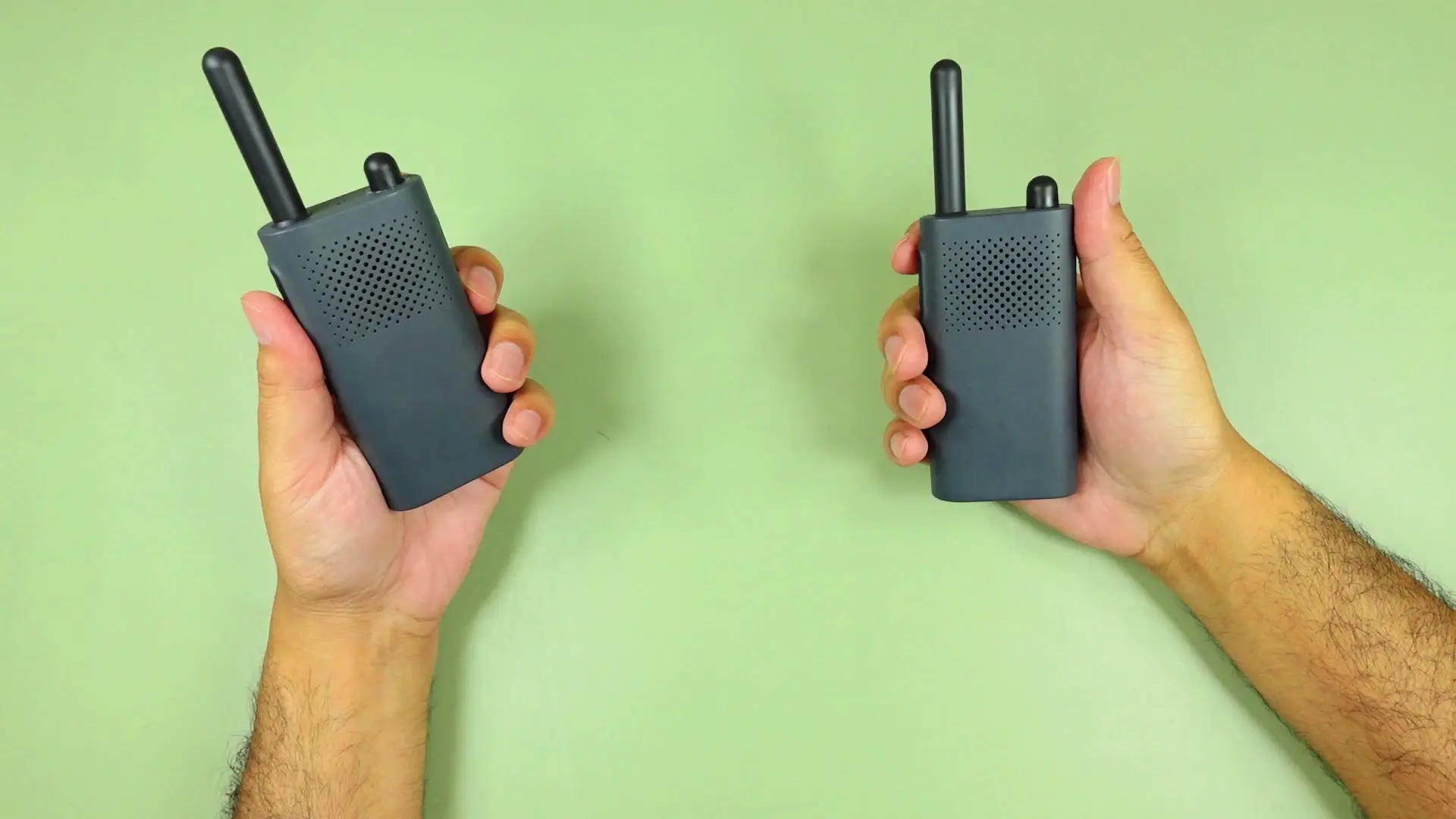
Tested context
Unboxed and tested two voice-only Xiaomi Walkie Talkie 3 Lite units on camera: design tour, channel matching, indoor voice tests, max-volume speaker check, and full Mi Home pairing on phone with Chinese mainland server and Wi-Fi troubleshooting.
Verdict
As gadgets, these are genuinely cute. The matte grey bodies feel more premium than I expected — rounded, no sharp edges, solid belt clip, and a satisfying PTT button. Voice worked once both units were on the same channel, and the orange channel dial with the indicator LED is a nice touch. The speaker distorts at max volume though, and setup through Mi Home was painful until I turned Wi-Fi off and set the app region to Chinese mainland. If you can get past that, they seem like fun camping or hiking radios for the price — just know you need the app to switch language and update firmware.
Pros
- Matte grey design feels polished — rounded body, no cheap hollow feel
- Orange-accent channel dial and status LED are easy to read
- Push-to-talk button has a satisfying mechanical feel
- Works as a simple two-way radio once channels are matched
- Mi Home unlocks language change, firmware updates, and hands-free mode
Cons
- Mi Home pairing failed repeatedly until Wi-Fi was turned off
- App region must be set to Chinese mainland for these units to connect
- Setup involves confusing button-press sequences and Chinese prompts after reset
- Speaker distorts noticeably at maximum volume
- Voice-only — no LCD screen on this Lite version
I ordered two Xiaomi Walkie Talkie 3 Lite units to see if Xiaomi could make a simple voice radio feel as polished as its phones. The hardware surprised me. The app setup almost ruined the experience.
Watch the full video review on YouTube.
Voice-only Lite version
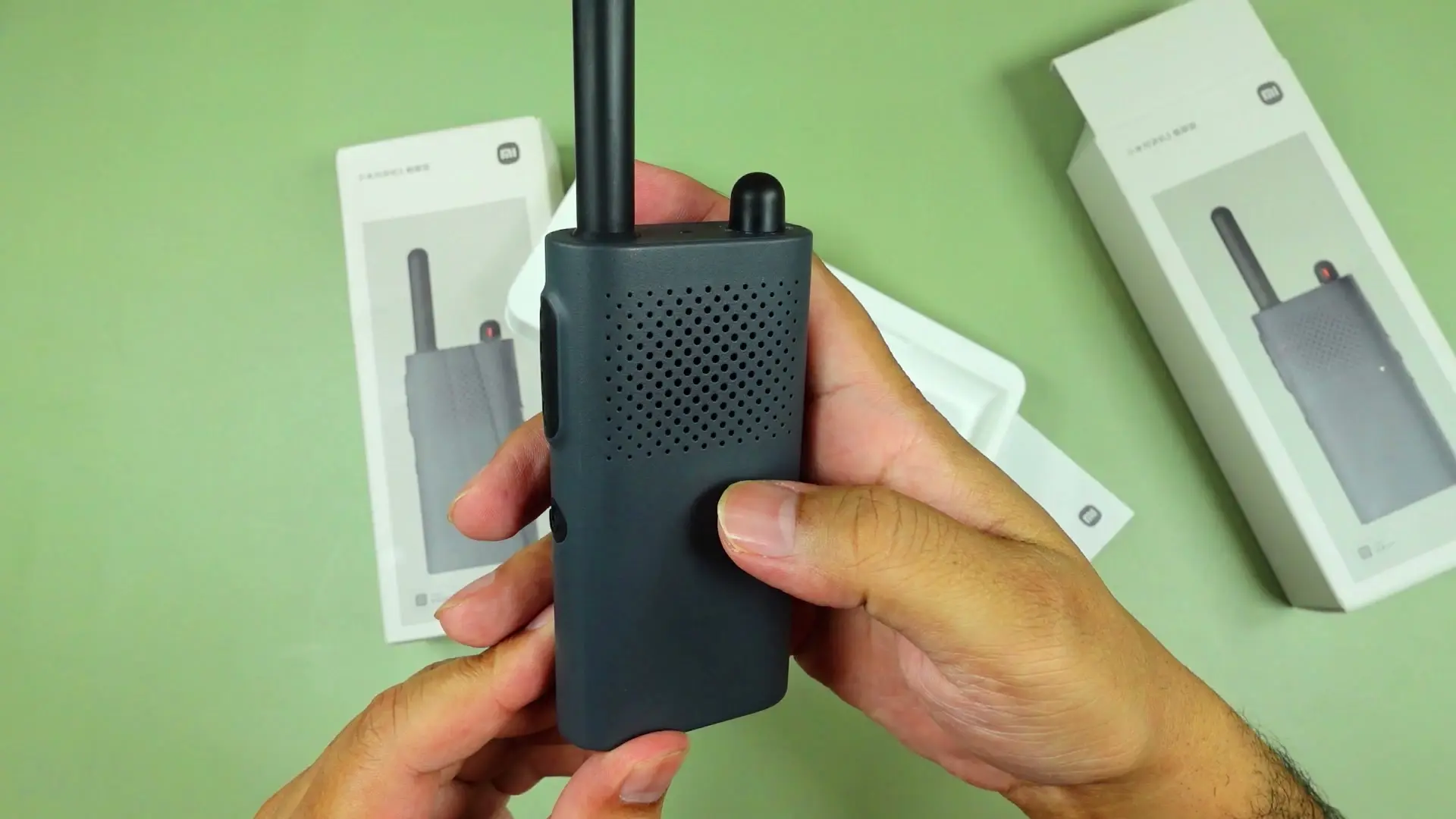
This is the Lite model — no LCD screen on the front. You get voice prompts, a channel dial with six positions, volume buttons, a power button, and a big push-to-talk key on the side. Xiaomi also sells a version with a display if you want more on-device feedback.
The hardware actually feels premium
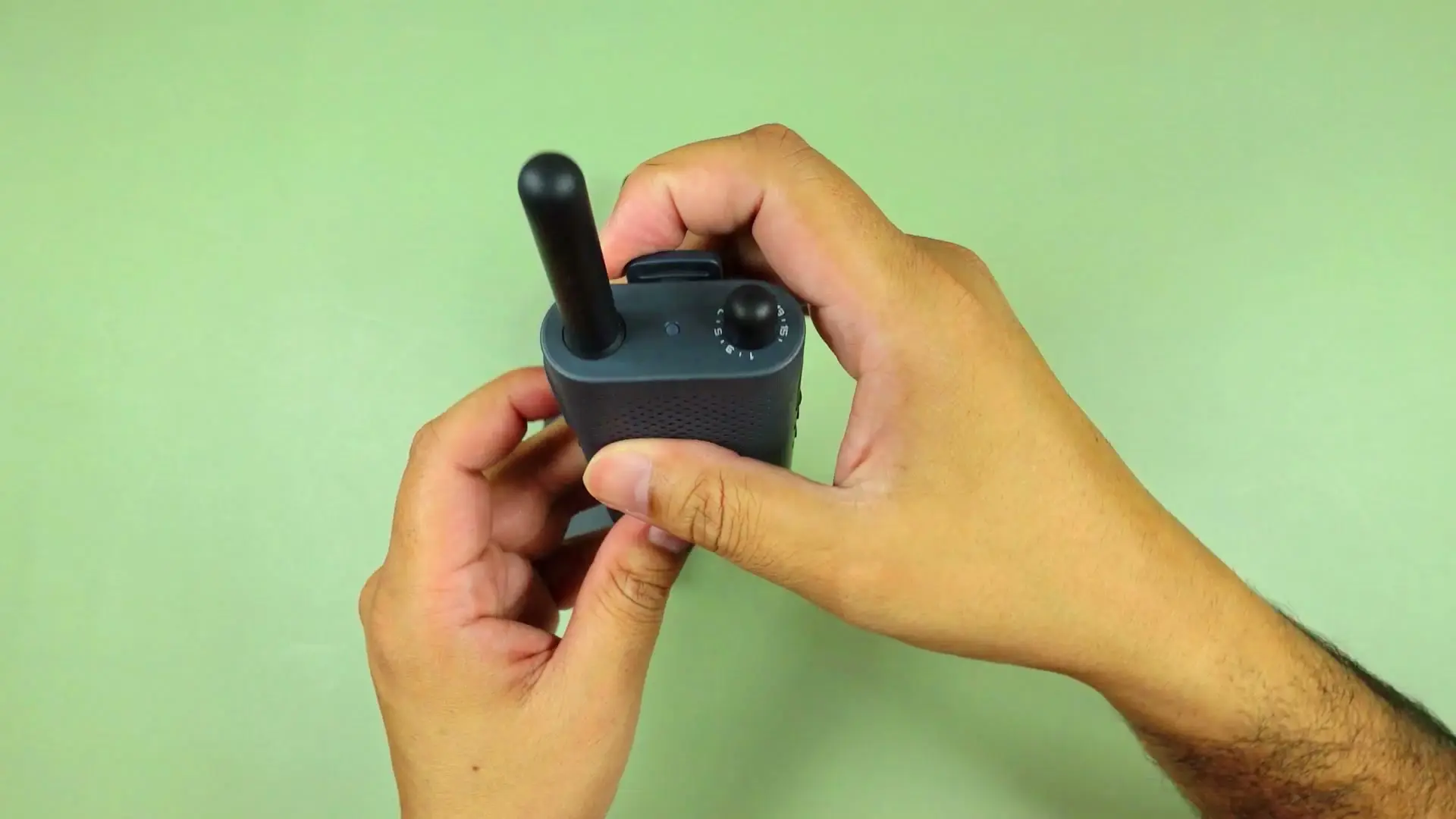
Both units arrived in clean retail boxes with a USB-A to USB-C cable and Chinese documentation. The matte grey shell feels solid without being heavy, every edge is rounded, and the belt clip feels properly stamped — not flimsy.
The orange-accent channel dial is the design highlight. A small LED on top shows status — it turns red when receiving. Antenna is short and fixed. USB-C port is sealed, though Xiaomi does not publish a water-resistance rating so I am not claiming any IP rating.
Push-to-talk works — speaker is just okay
Matching both units to the same channel was straightforward. Hold the PTT button, talk, release — the mechanical action feels good.
Indoor range testing was limited, but voice came through clearly when the units were close. At maximum volume the speaker distorted — fine for short bursts, not great if you want clean audio.
Xiaomi claims up to 5 km range. I did not verify that outdoors in this session, so treat it as a listing claim, not a tested result.
Then Mi Home enters the chat
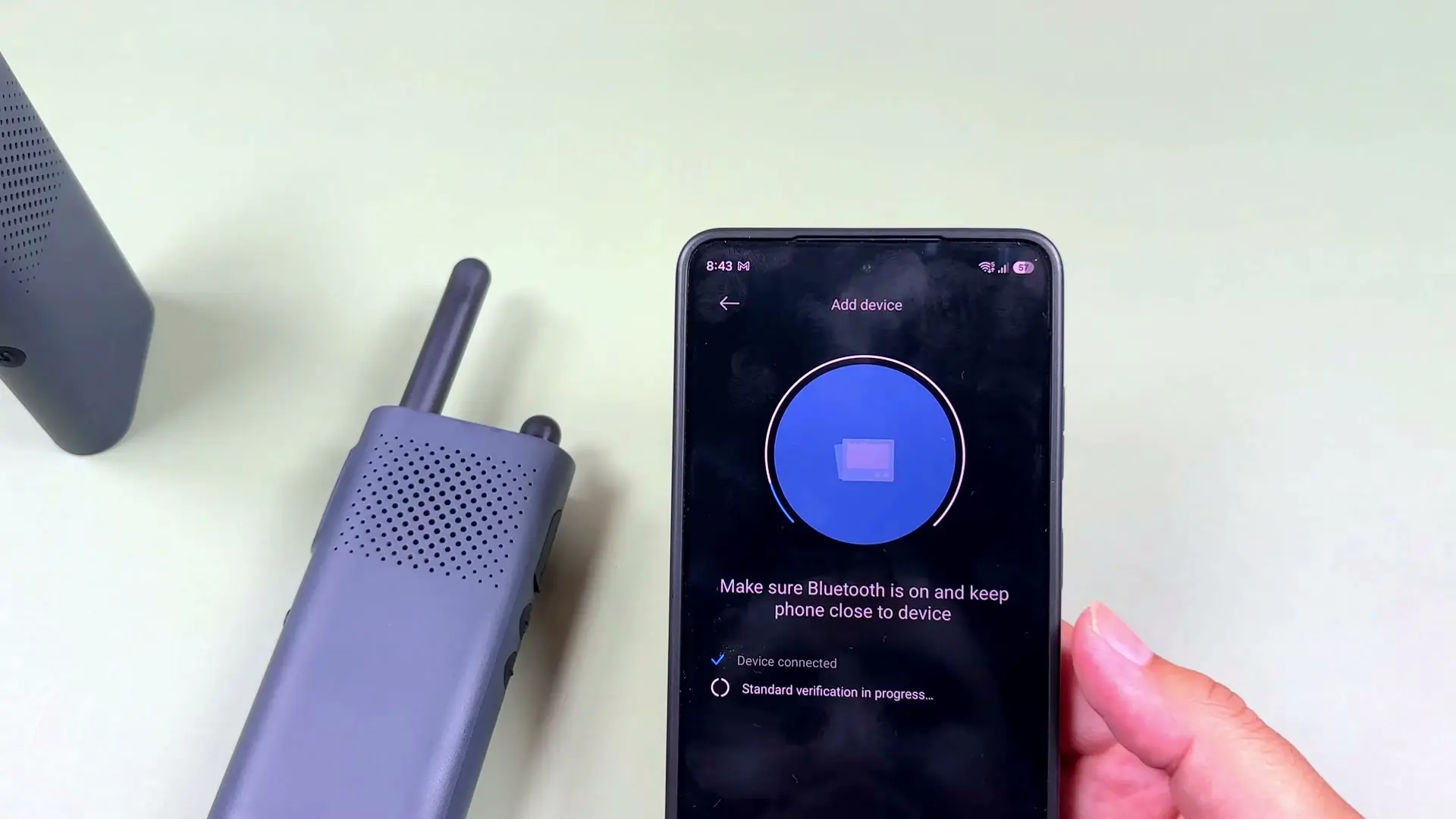
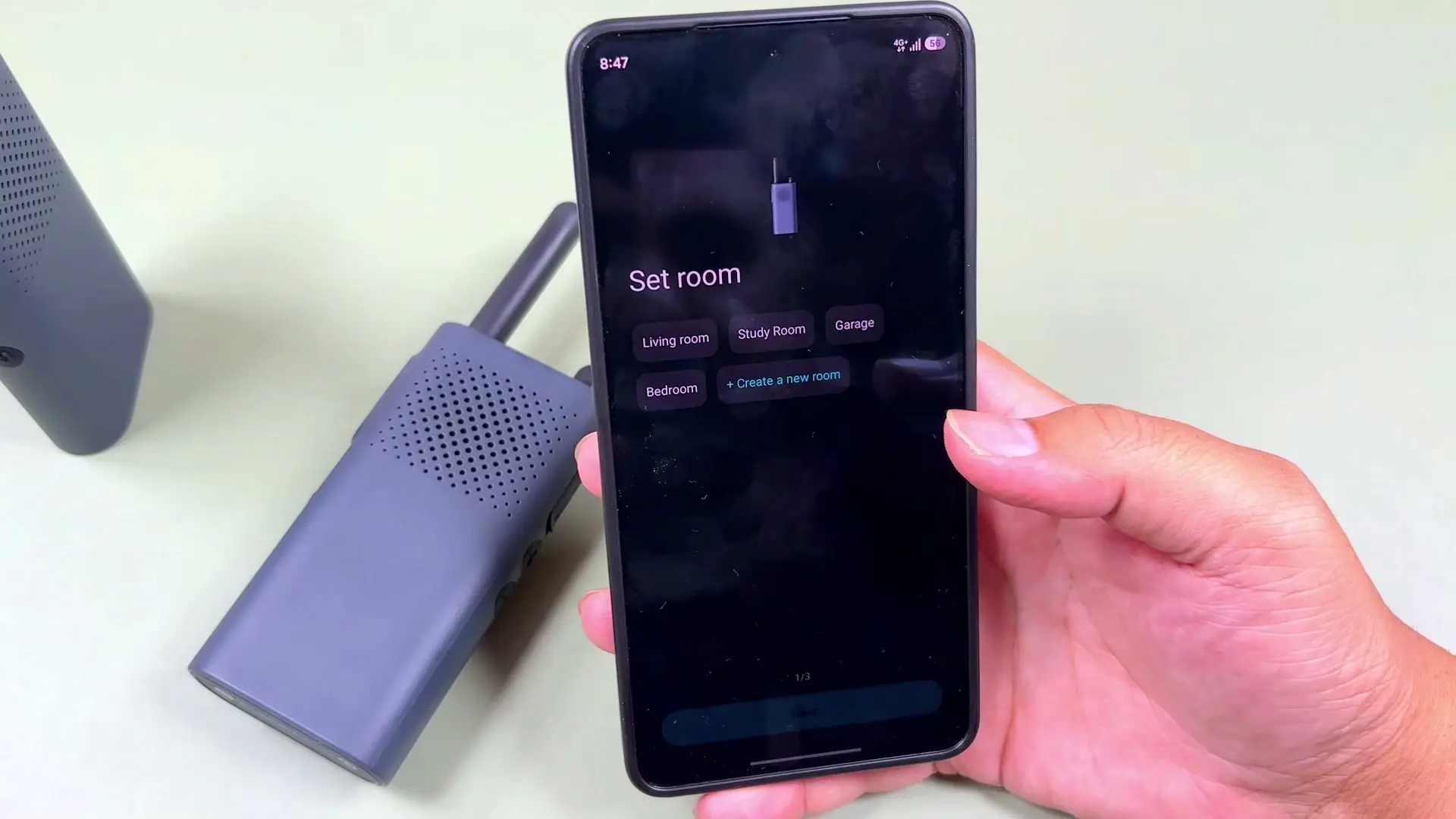
To change the language from Chinese to English, update firmware, or enable hands-free calling, you need the Mi Home app. That is where things got messy.
The app kept failing at the connection step until two things clicked:
- Set the Mi Home server region to Chinese mainland — otherwise these Chinese-market units would not pair.
- Turn Wi-Fi off on the phone during pairing — my router was apparently interfering. Once Wi-Fi was off, setup completed almost immediately.
Before that fix I was stuck in loops of Chinese prompts, volume-button holds, and factory resets. Not the seamless Xiaomi experience the box implies.
Who should buy
If you want a pair of compact walkie talkies that look and feel nicer than typical budget radios — and you are okay spending twenty minutes fighting Mi Home once — these are fun. The physical product is the win.
If you hate ecosystem lock-in, need instant pairing, or want an on-device screen, get the LCD version or skip entirely.
Where to buy
This article contains affiliate links. If you buy through them, I may earn a commission at no extra cost to you.
Is this for you?
Who it’s for
Grab a pair if you want compact Xiaomi walkie talkies for camping, hiking, or just messing around with friends — and you are patient enough to fight through Mi Home setup once.
Who should skip it
Skip if you hate Xiaomi ecosystem quirks, need plug-and-play pairing, or want an LCD screen — check the full Walkie Talkie 3 with display instead.
Watch the review
Open on YouTubeDisclosure
Hero and evidence photos are original Gadget Hunting with RR footage, captured firsthand during testing of the units reviewed here.
This review contains an affiliate link. See our affiliate disclosure for details.