I Bought a Used "Samsung 990 PRO" and It's Almost Certainly Fake
I put a used "Samsung 990 PRO 1TB" into a UGREEN 40Gbps enclosure for my MacBook and asked Claude to check it. Healthy on paper, but a Realtek controller, mismatched IDs, and a write speed that went from about 680MB/s to about 55MB/s after roughly 40GB. It's going back.
Published October 18, 2026
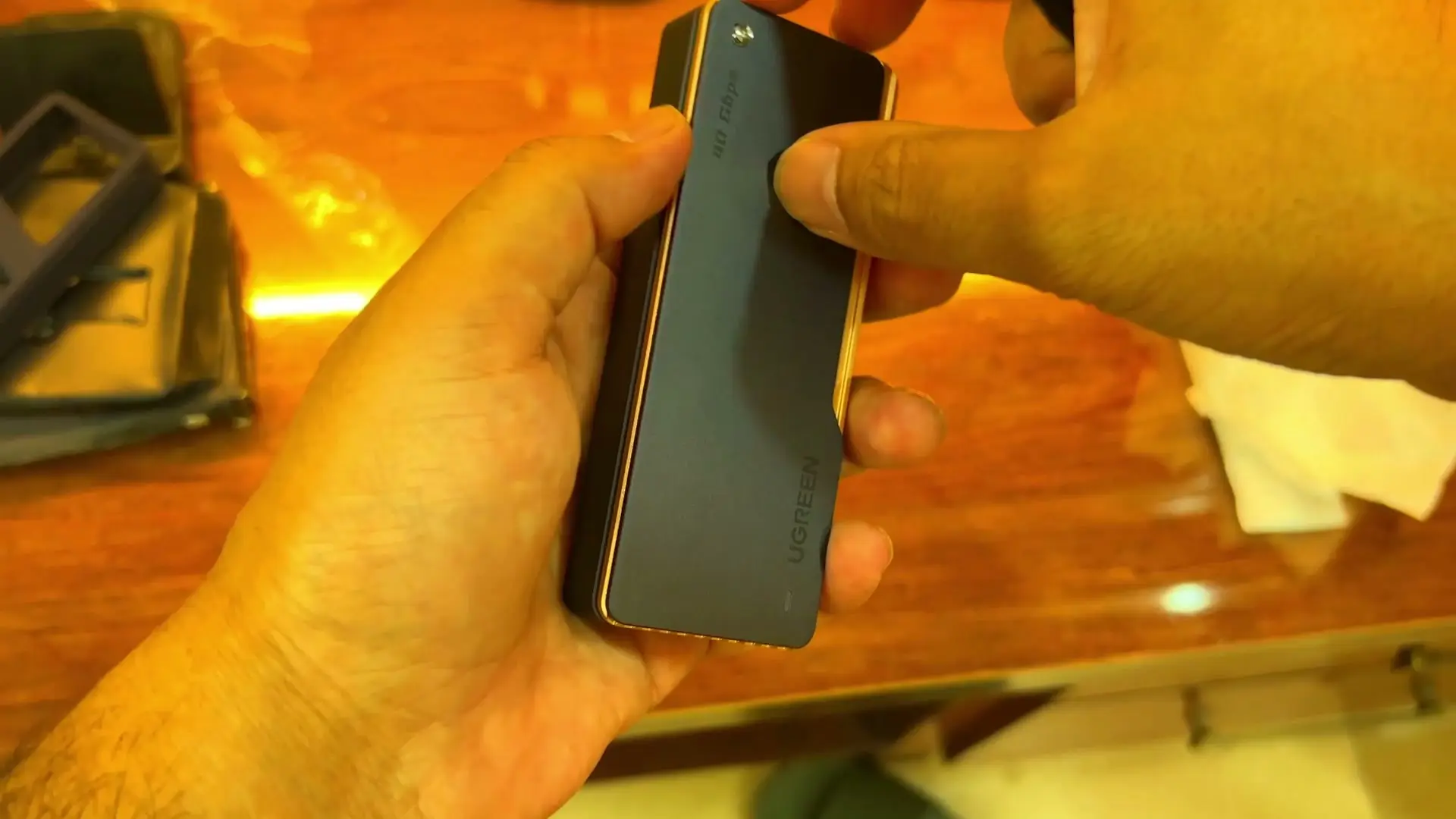
Tested context
Unboxed the UGREEN 15976 enclosure, installed a used 1TB drive sold as a Samsung 990 PRO without reading the manual, and plugged it into an M3 MacBook with a 1TB internal drive. Then asked Claude to check the drive, formatted it, then started a full-drive write test and observed the first 68GB.
Verdict
The UGREEN enclosure did its job: the Mac saw the drive straight away. The drive inside is almost certainly not a genuine Samsung 990 PRO, so I'm returning it.
Pros
- UGREEN enclosure was recognised by the MacBook as soon as I plugged it in
- Metal build with a cooling fan, plus a screwdriver, double-sided tape and cables in the box
Cons
- The drive I put in it is almost certainly counterfeit: Realtek controller, mismatched IDs, about 55MB/s after the first ~40GB
- I fumbled the install because I skipped the manual, so I can't say how obvious it is for a first-timer
I bought a used "Samsung 990 PRO 1TB" to stop my MacBook running out of space, put it in a UGREEN 40Gbps enclosure, and asked Claude to check it. The drive reports as healthy, but it is almost certainly not genuine, and it's going back.
Why I bought it
My MacBook is an M3 with 1TB of storage, and it keeps filling up because of AI coding agents. They leave junk behind, and I clear it every two or three days. I'd freed a few hundred GB with a cleaner, but figured it was time to add storage. So I got a used Samsung 990 PRO 1TB and a UGREEN enclosure to plug it into.
The UGREEN enclosure
The enclosure is the UGREEN 15976. It's USB4 and Thunderbolt 3/4 compatible, and it has a fan with metal fins to carry heat away, which matters because I want to use it continuously. It comes with a rubber shield, a screwdriver, double-sided tape and cables, including a Type-A to Type-C one. I used the Type-C connection because my MacBook has Type-C ports.
Installing the drive took me a few tries. I didn't read the manual, because trying things without looking at them is basically the theme of this channel. Once the drive was in, I plugged it into the MacBook and it showed up as a new volume straight away, formatted as NTFS. As far as I can tell, the enclosure did its job.
What the label says
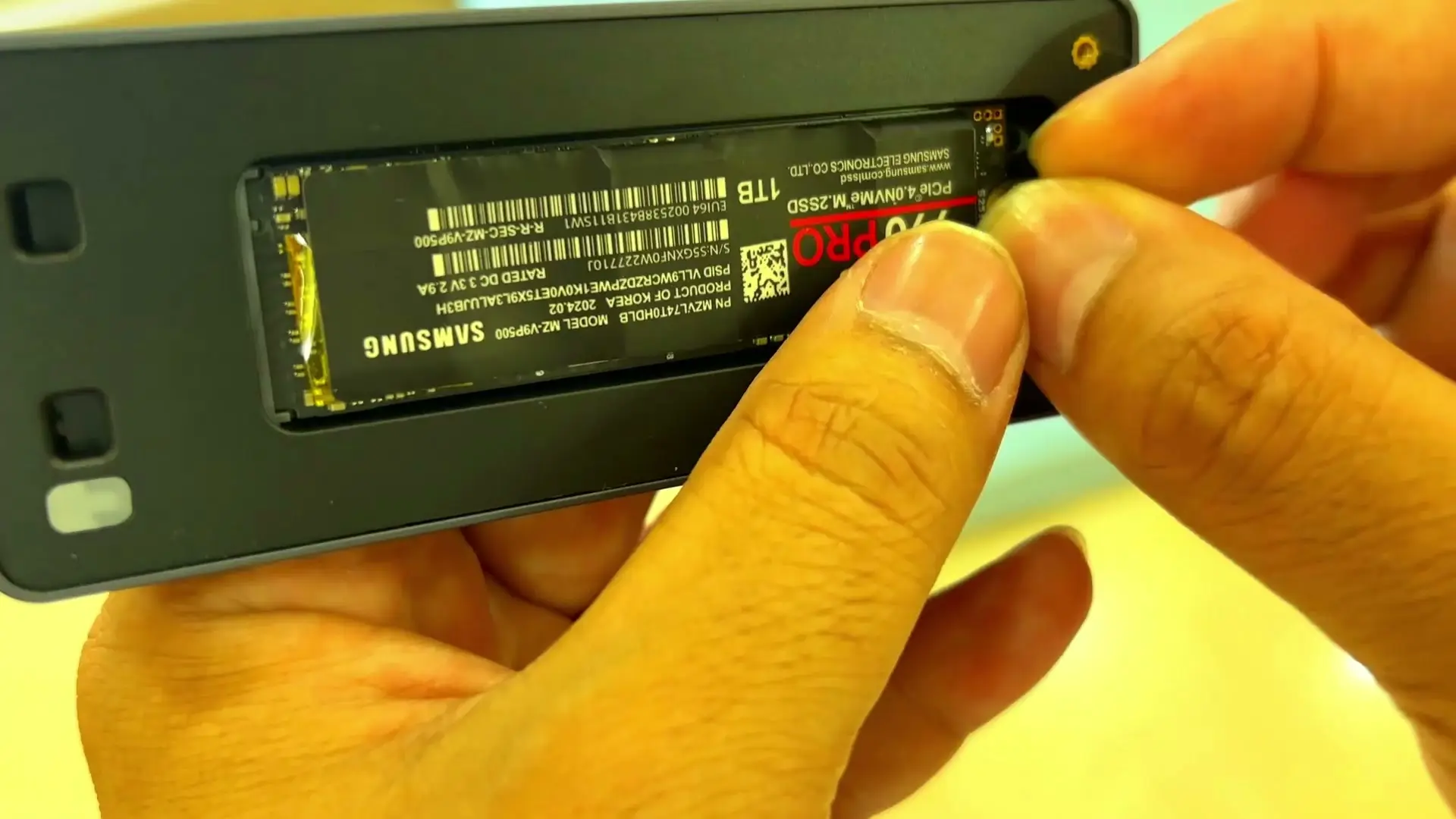
With the drive in the enclosure you can see its label: Samsung branding, 1TB, a red PRO mark, model MZ-V9P500 and part number MZVL74T0HDLB. For comparison, retail listings for the genuine 1TB 990 PRO carry the model number MZ-V9P1T0, not MZ-V9P500. That's something you can check with your own eyes before you plug anything in.
Asking Claude to check it
I launched Claude and asked it to look at the NVMe drive. After a while, this is what it came back with: the drive reports as healthy, but it is almost certainly not a genuine Samsung 990 PRO. Its reasons, as Claude reported them:
- The controller shows up as a Realtek RTS5765, a budget controller with no DRAM cache. A real 990 PRO uses Samsung's own controller, which would show a Samsung vendor ID.
- The firmware reports as HXT7904C, and the serial starts with S45P. Claude said neither matches a real 990 PRO.
- The spare threshold is set to 32%, where Claude said Samsung drives use 10%.
Claude pointed out that the UGREEN enclosure uses a separate chip, so the Realtek ID belongs to the drive and not the enclosure. SMART still said the drive was healthy, but Claude's point was that if the hardware isn't what the label says, the drive's own health report can't be fully trusted either.
680MB/s, then 55MB/s
Claude suggested a full write test, which meant formatting the drive for the Mac first. I did, and then waited. In the first 40GB or so the drive wrote at about 680MB/s, which is already way less than I'd hoped for. After that it settled at about 55MB/s and stayed there. Claude estimated the rest of the fill would take about four and a half hours, so this is what I saw in the first 68GB, not a finished capacity check. Even so, that's a long way from what a real 990 PRO should do.
My verdict
Almost certainly fake, and I'm sending it back. I have a good relationship with the seller, so I expect to get a return. It was a letdown, and I still have to wait on that return before I get my storage sorted, but it made for a good video.
The UGREEN enclosure is the part that worked. If you want a genuine Samsung 990 PRO, be careful with marketplace or used listings. Fake and misdescribed drives are a real risk there, and it's not always obvious from the label.
Where to buy
This article contains affiliate links. If you buy through them, I may earn a commission at no extra cost to you.
Is this for you?
Who it’s for
Consider the UGREEN enclosure if you want an external NVMe case for a USB-C Mac: mine was recognised straight away. I haven't yet tested its sustained speed or cooling with a genuine drive, and you should check any used or marketplace drive before you rely on it.
Who should skip it
Skip used or marketplace "Samsung" SSDs unless you can check them yourself or return them easily. I couldn't treat the label as proof of anything.
Watch the review
Open on YouTubeDisclosure
Hero and evidence images are frames from original Gadget Hunting with RR footage, captured firsthand.
This review contains an affiliate link. See our affiliate disclosure for details.