This palm-sized i9 mini PC now lives by my router — and my AI agents run it
I unboxed the KAMRUI Hyper H2 — a Core i9-11900H mini PC with 32GB RAM and a 1TB SSD — tucked it next to my router, and set it up as a headless Windows build machine my AI agents reach over Tailscale and SSH. It is tiny, surprisingly light, and came with Windows 11 Pro activated. The catch: graphics are only Intel UHD, and the i9 is an 11th-gen chip, not a current one.
Published September 27, 2026
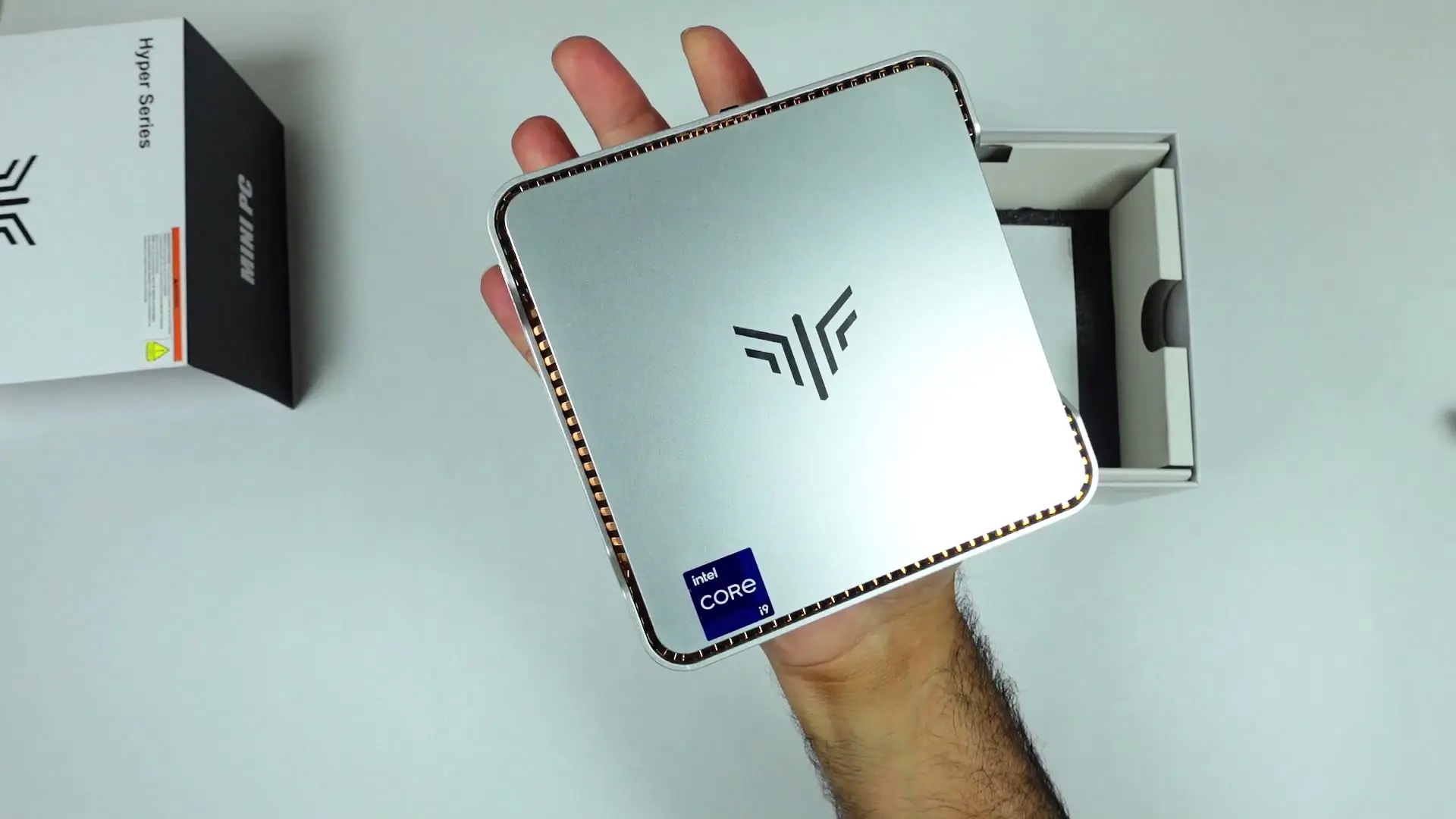
Tested context
Unboxed the Silver Hyper H2 (32GB RAM, 1TB SSD, US plug) on camera, went through the ports and accessories, then set it up on a shelf beside my router over Ethernet and used it from my MacBook via Remote Desktop, Tailscale and passwordless SSH, including an AI-agent health check of the machine.
Verdict
For what I bought it for, it just works. It is smaller than my old DVR, lighter than I expected, and it shipped with Windows 11 Pro activated, so Remote Desktop was available straight away. Once it was on Tailscale with SSH, my agents could reach it and report its health without me touching it, which is exactly what I want from a build worker. The limits are real, though: graphics are Intel UHD only, the i9-11900H is a few generations old, and I would have liked 64GB of RAM. Treat it as a small, capable Windows box, not a gaming PC.
Pros
- Tiny and surprisingly light — smaller than my old DVR
- Core i9-11900H, 32GB RAM and a 1TB SSD in this configuration
- Windows 11 Pro came activated, so Remote Desktop works out of the box
- Plenty of USB-A plus one front USB-C, HDMI and Ethernet
- Wall-mount bracket and HDMI cable included
Cons
- Only integrated Intel UHD Graphics — no discrete GPU
- The i9 is 11th gen, not a current-generation chip
- 32GB is plenty, but 64GB would have been nicer for heavy build work
- Top panel is plastic, not metal
- The 120W power brick is bulky
When people picture a powerful PC they picture a big tower with RGB and a huge GPU. I wanted to see how much of that you still need, so I got the KAMRUI Hyper H2: a Core i9 mini PC that fits in my palm. It ended up on a shelf next to my router, and my AI agents do most of the driving.
Watch the full video review on YouTube.
Tiny, and lighter than I expected
This is the Silver Hyper H2 with 32GB of RAM and a 1TB SSD. It came very well packed, and the first surprise was the weight: it is much lighter than it looks. The body feels solid, although the top panel turned out to be plastic, not the metal I assumed. There are cooling fins around the edge and a fairly big fan inside.
The box says the same thing twice: do the first setup offline, with no Wi-Fi and no LAN, so Windows doesn't get stuck pulling updates halfway through setup. They even put a sticker over the port to make the point.
Ports and what's in the box
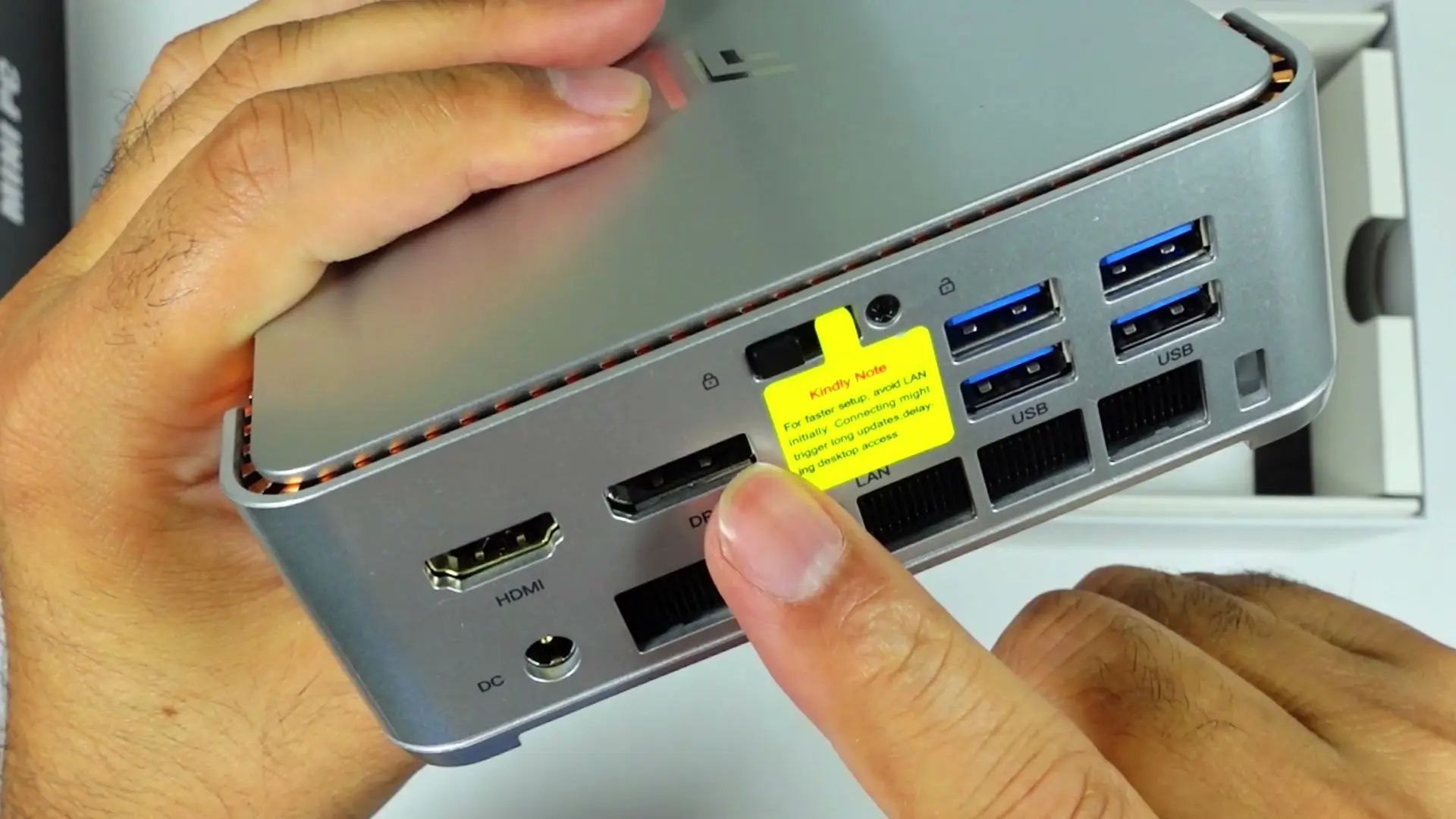
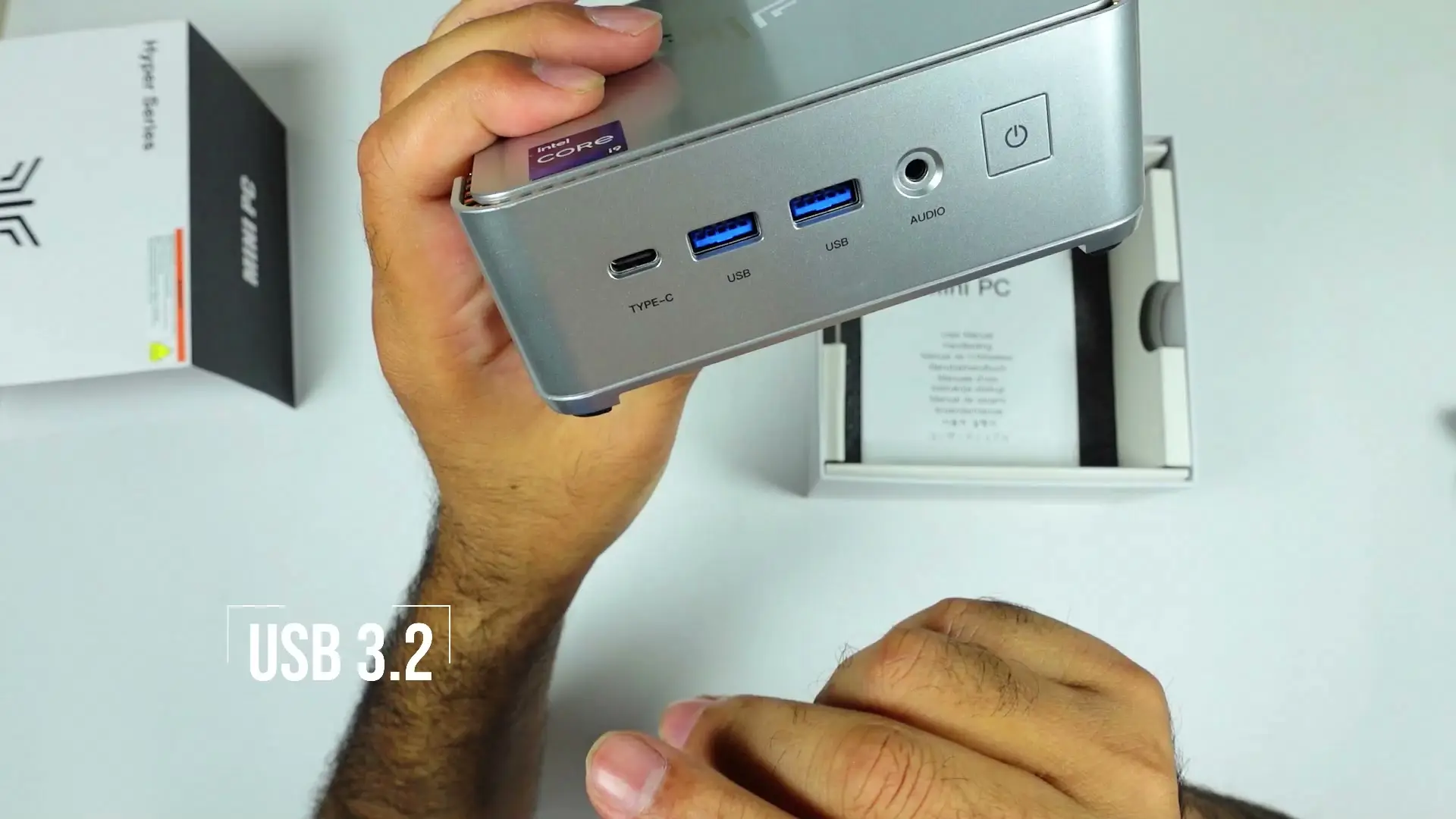
On the back you get DC in, HDMI, a LAN port and four blue USB-A ports. The front has one USB-C (I'm glad there's at least one), two more USB-A ports, an audio jack and the power button.
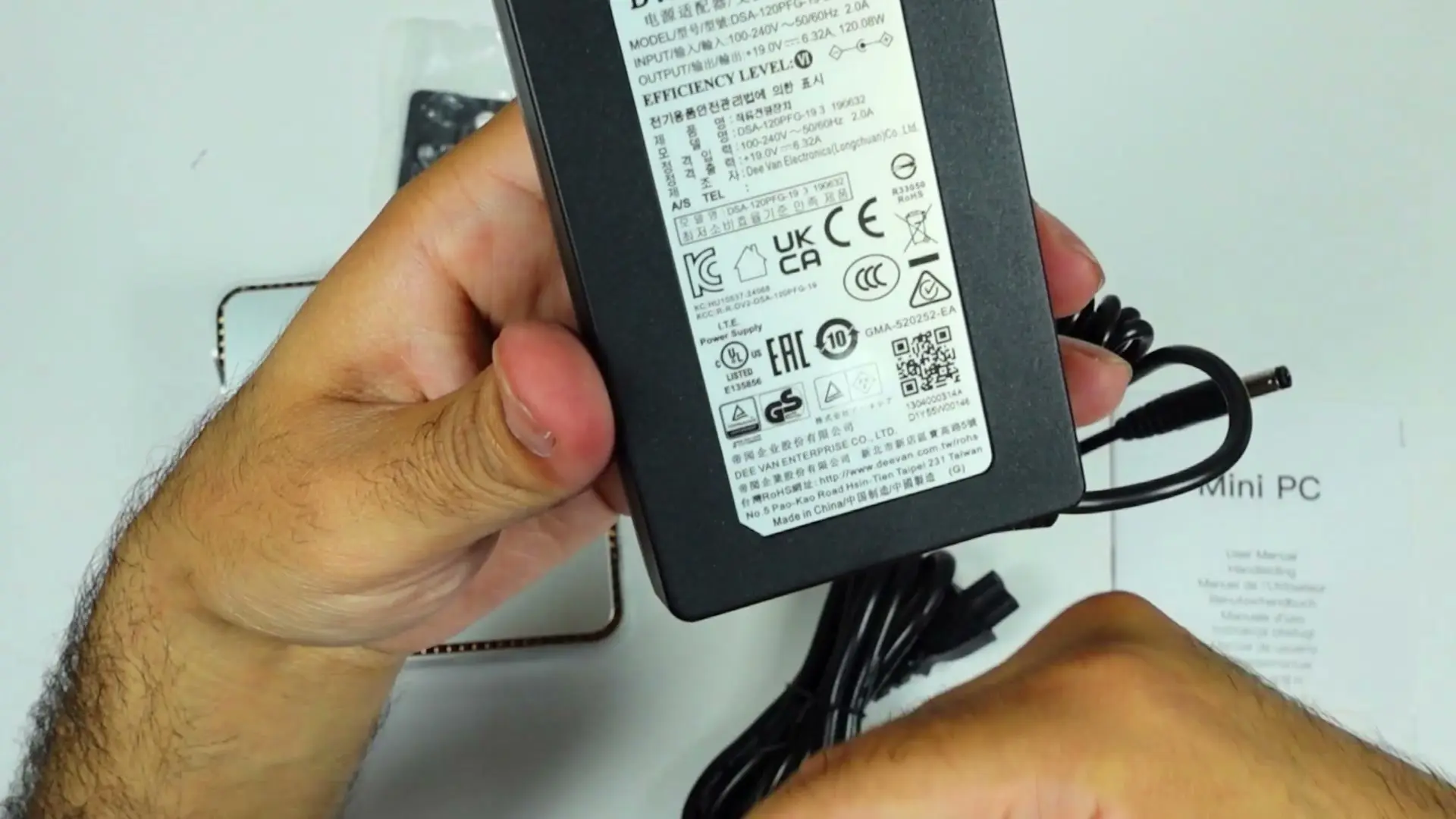
In the box: the power brick, a long power cable, an HDMI cable, a user manual, and a wall-mount bracket with screws. The PC is small enough that hanging it on a wall or under a desk is realistic. The brick is rated at 120W, which is chunky. My MacBook Pro's charger is about 100W.
It lives next to my router now
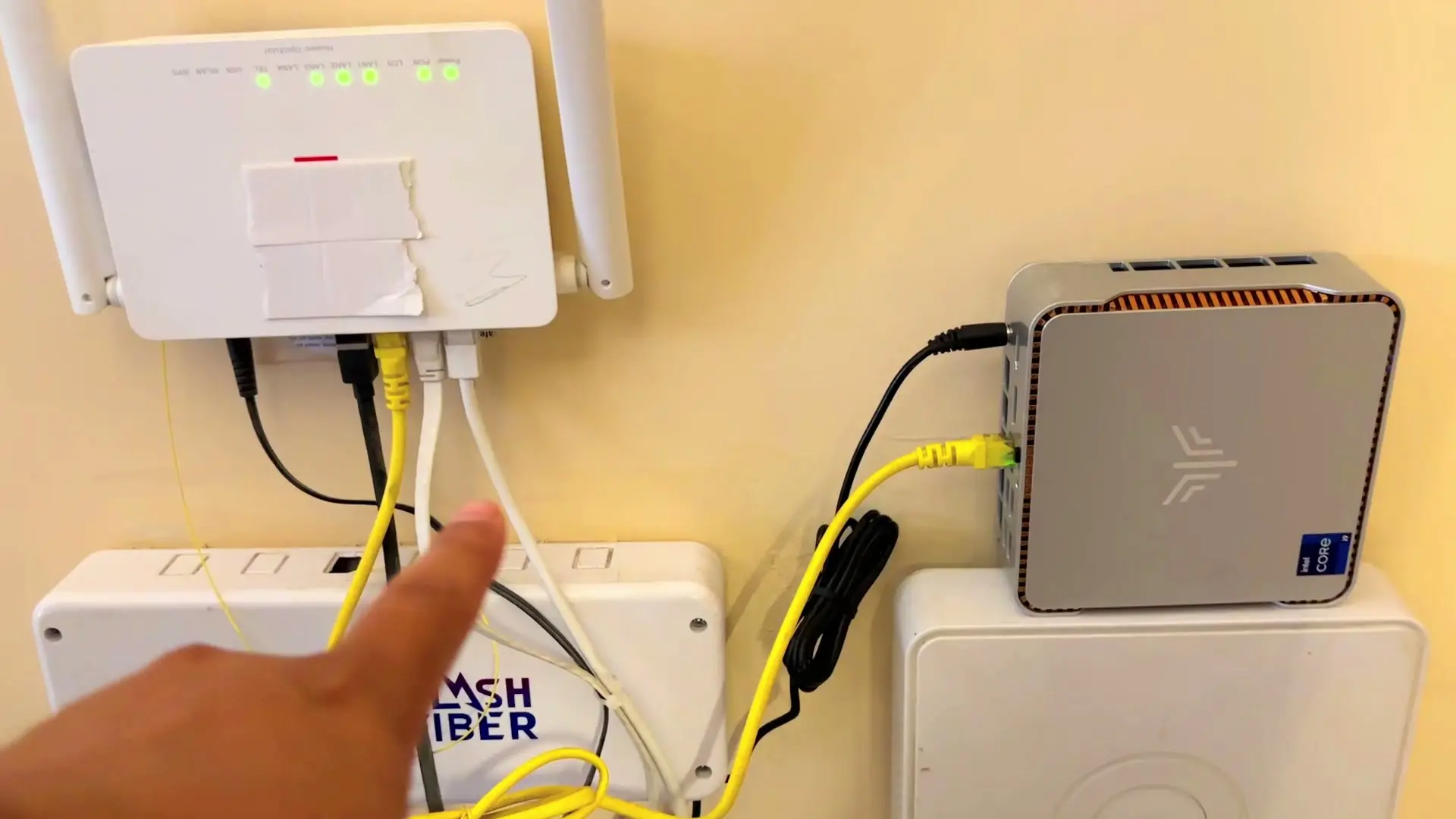
I don't have desk space for another machine, and I didn't want another monitor. So the mini PC sits on a shelf next to my router and an old DVR, which it is smaller than, plugged in over Ethernet.
My main setup is a MacBook Pro on a 49-inch Samsung Odyssey G9. When I need Windows, I open Remote Desktop on the Mac and the mini PC is right there, on the same screen, keyboard and mouse. Windows 11 Pro came activated, which is why Remote Desktop was available without extra work.
My AI agents run it over Tailscale and SSH
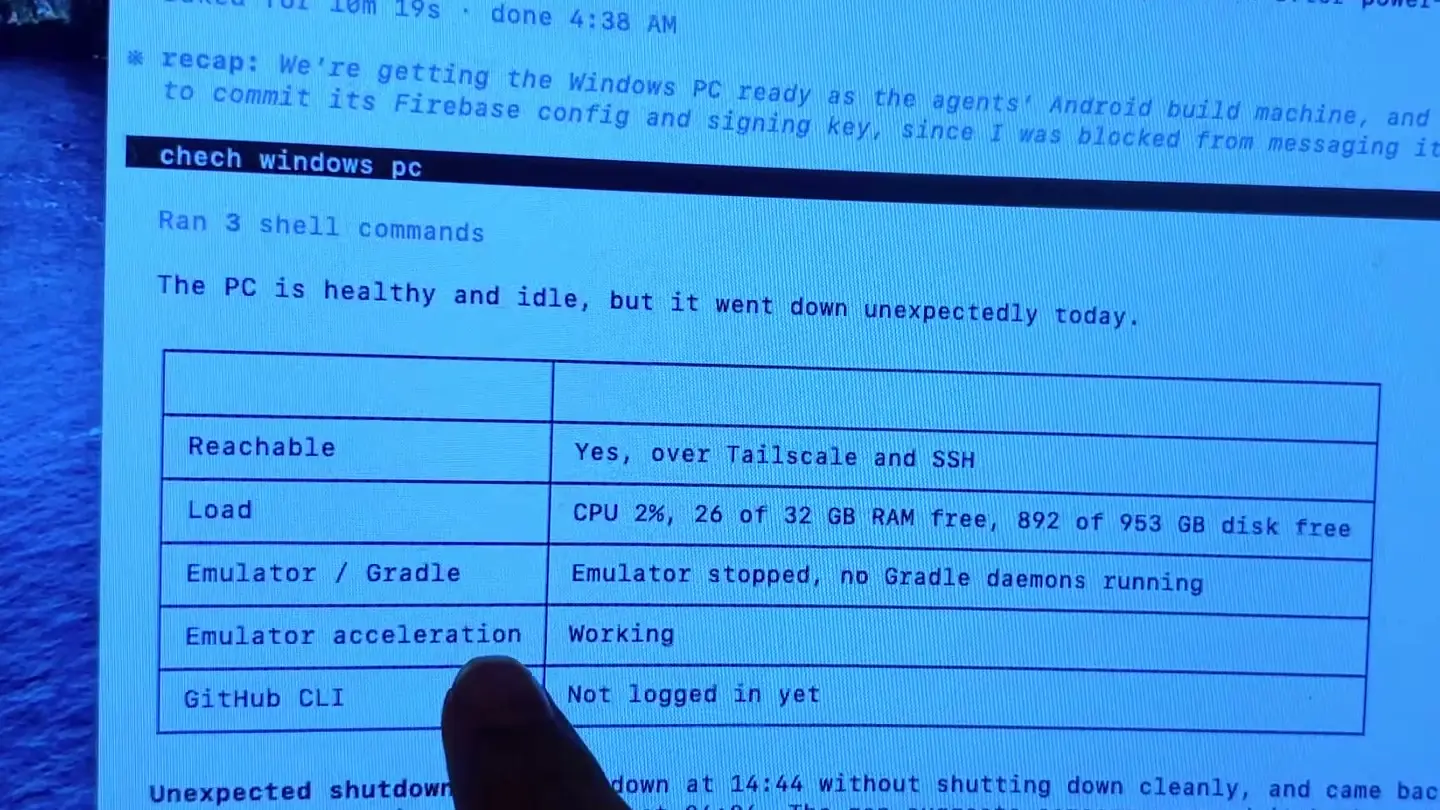
This is the real reason I wanted it. I installed an agent on the mini PC and used it to set up passwordless SSH and Tailscale's MagicDNS, so my Mac and the Windows machine can always find each other.
Now all of my agents can reach it. When I asked one to check the Windows PC, it ran a health check over Tailscale and SSH and came back with CPU load, free RAM, free disk space, and whether the Android emulator and Gradle were running. I'm a mobile developer, so that's exactly the kind of build worker I wanted. Closing Remote Desktop doesn't affect the agents; they keep working on their own. I also shared folders between the two machines so copying files across is easy.
The specs, and the one real gap
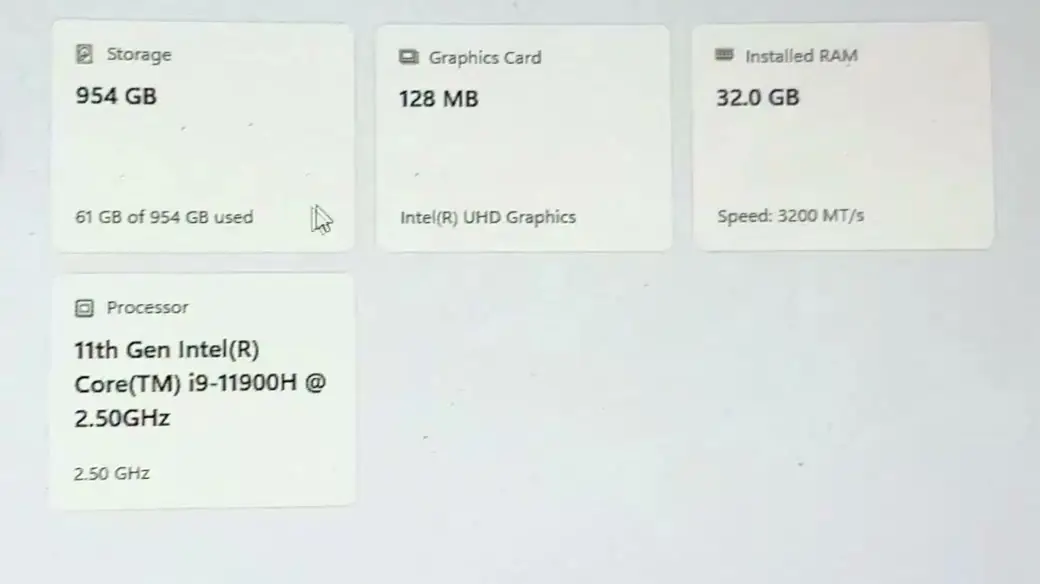
In Windows' About screen: an 11th-gen Intel Core i9-11900H at 2.5GHz, 32GB of RAM at 3200 MT/s, and a 954GB SSD with most of it free.
The biggest gap is graphics. There's no discrete GPU, just Intel UHD Graphics, so this is not a gaming machine. The i9 is also a few generations old; newer chips are better. And 32GB is plenty, but I would have loved 64GB. You get what you pay for, and for a build machine it's the CPU, RAM and SSD that matter to me.
Who should buy
If you mostly work on a Mac and want a small Windows box you can tuck away and reach remotely — as a build worker, home server or backup machine — this makes a lot of sense. It's my first mini PC, and it was far less hassle than I expected.
If you want to game, edit heavy video, or need the newest CPU, look for a mini PC with a discrete GPU instead.
Where to buy
This article contains affiliate links. If you buy through them, I may earn a commission at no extra cost to you.
Is this for you?
Who it’s for
Get it if you want a small Windows machine to tuck away as a build server, home server, or remote-access box — especially if you mostly live on a Mac and only need Windows sometimes.
Who should skip it
Skip it if you want to game or do GPU-heavy work — the integrated graphics are the biggest gap — or if you need the newest CPU generation.
Watch the review
Open on YouTubeDisclosure
Hero and evidence photos are original Gadget Hunting with RR footage, captured firsthand while unboxing and setting up the unit reviewed here.
This review contains an affiliate link. See our affiliate disclosure for details.