After a Fake Samsung 990 PRO, Is This Lexar NM790 Genuine?
I bought a brand-new Lexar NM790 1TB, put it in the same UGREEN 40Gbps enclosure, and asked Claude to check it. Lexar's vendor ID, real firmware, zero hours on it, and about 2.8GB/s write and 3.1GB/s read over USB4. I skipped the full-capacity test, though.
Published October 22, 2026
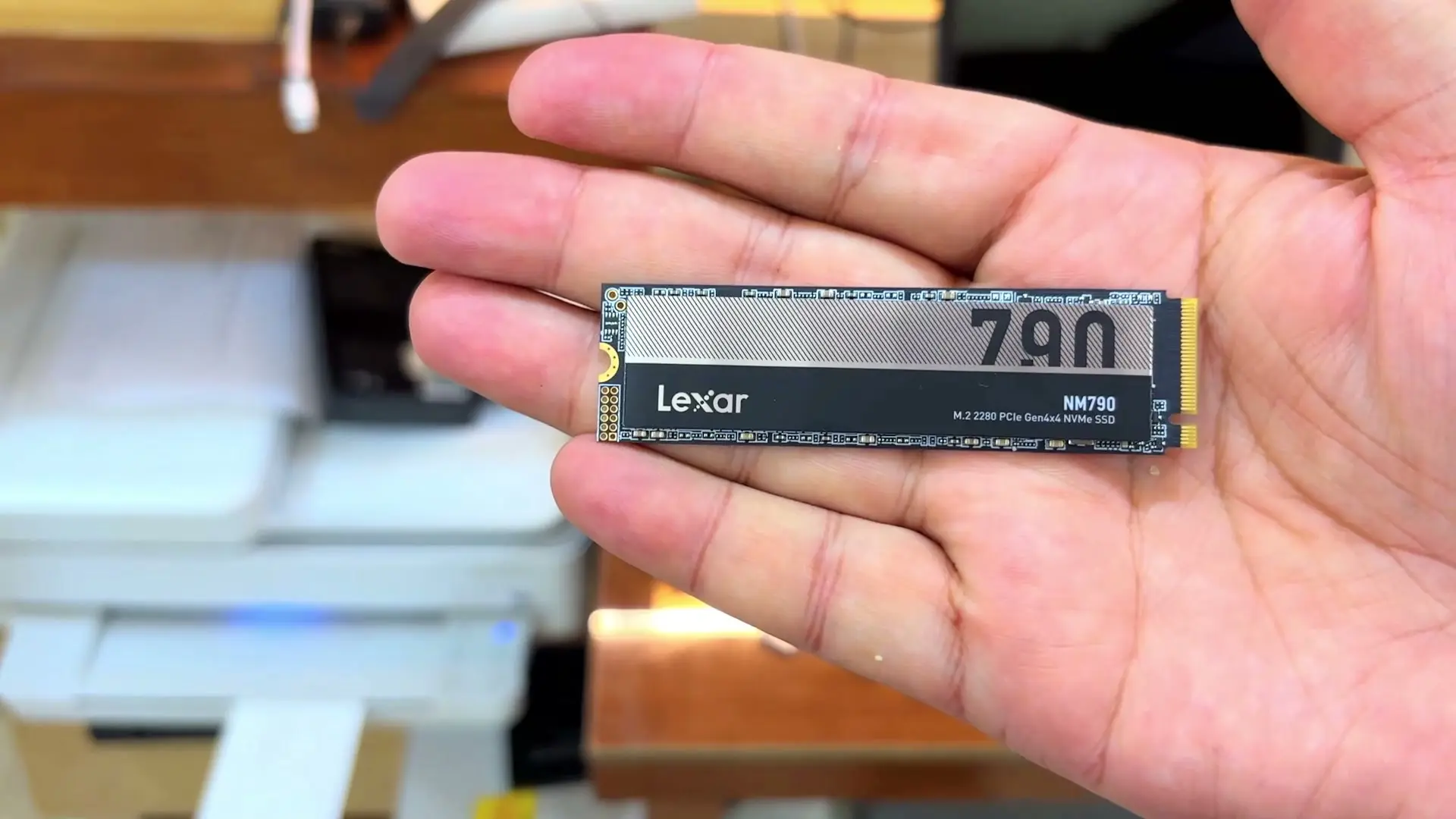
Tested context
Bought a new Lexar NM790 1TB after my used Samsung 990 PRO turned out to be fake. Installed it in the same UGREEN 15976 enclosure, this time with the thermal pad used properly, erased it as APFS on my M3 Pro MacBook Pro, and asked Claude to check whether it was genuine and run a quick speed test.
Verdict
This one checks out as far as Claude's check could tell: Lexar's vendor ID, a real NM790 firmware, the full 1TB reported and brand-new SMART data. I didn't run the full capacity test. Over the UGREEN enclosure it did about 2.77GB/s write and 3.12GB/s read, which is probably the enclosure's limit, not the drive's. I only ran a quick 16GB test, so sustained write speed is untested.
Pros
- Claude's check found Lexar's parent-company vendor ID, a real NM790 firmware release and the full 1TB with nothing unallocated
- Looks brand new: 0 power-on hours, 2 power cycles, SMART passed with 100% spare and 0% wear
- About 2.77GB/s write and 3.12GB/s read in a quick 16GB test (sustained writes beyond that weren't tested)
Cons
- The enclosure most likely caps the speed, so don't expect the drive's rated ~7GB/s externally
- I didn't run the full write-and-read-back test that proves every gigabyte is real; it would have taken a long time
My last SSD was a used "Samsung 990 PRO" that turned out to be fake. This time I bought a brand-new Lexar NM790 1TB, put it in the same UGREEN enclosure, and asked Claude to check it. Claude said it looks genuine, new and healthy, and it's fast enough that the enclosure now looks like the bottleneck.
Why a second drive
The plan hasn't changed: I want more space for my MacBook Pro, an M3 Pro hooked up to a wide monitor, which AI coding agents keep filling up. After a cleanup it had about 212GB free. Last time I'd got it to around 400GB, and the agents ate that up again.
The first attempt was a used Samsung 990 PRO that was almost certainly fake. So this time I went new, and picked the Lexar NM790 1TB. The enclosure is the same UGREEN 40Gbps one with the cooling fan.
That sheet is a thermal pad
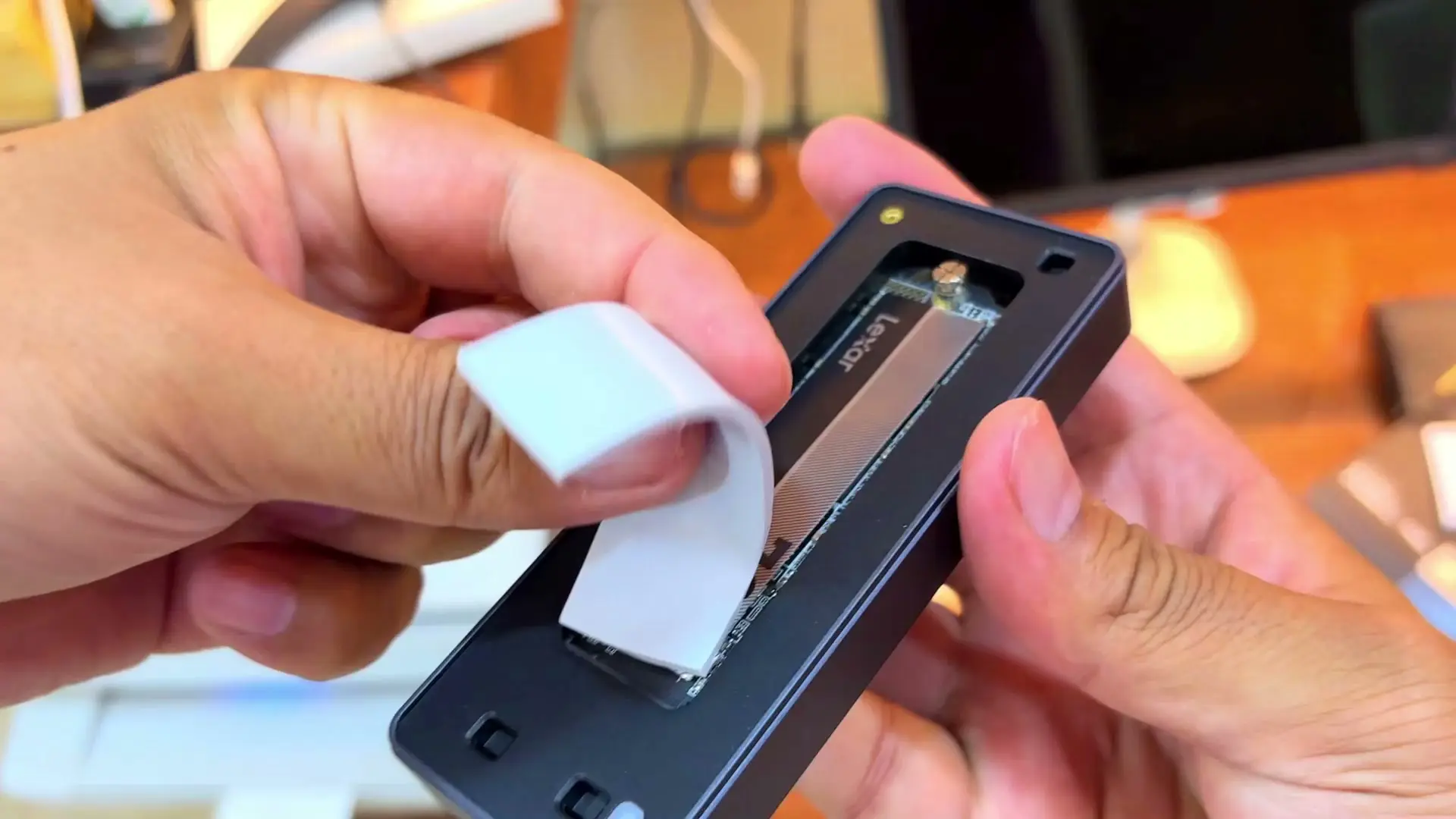
One correction first. In the last video I treated a sheet that comes with the UGREEN enclosure like double-sided tape. A viewer pointed out it's actually a silicone thermal pad: once the SSD is installed, you peel the film off and lay the pad on top of the drive. Thanks to that viewer for taking the time to comment.
The install itself was a bit fiddly again. The enclosure comes with its own screwdriver and a spare screw, which helps if you drop one. Getting the big pad lined up took a moment, since some of it stuck out the first time.
Plugging it into the Mac
I used the Type-C cable. The light on the enclosure blinked and macOS said the disk wasn't usable, which makes sense for a blank new drive. I asked Claude which format to pick. Since I'll only use it with a Mac, it suggested APFS with the GUID partition map, so I erased it that way and it showed up as a normal drive.
Claude's check: looks genuine
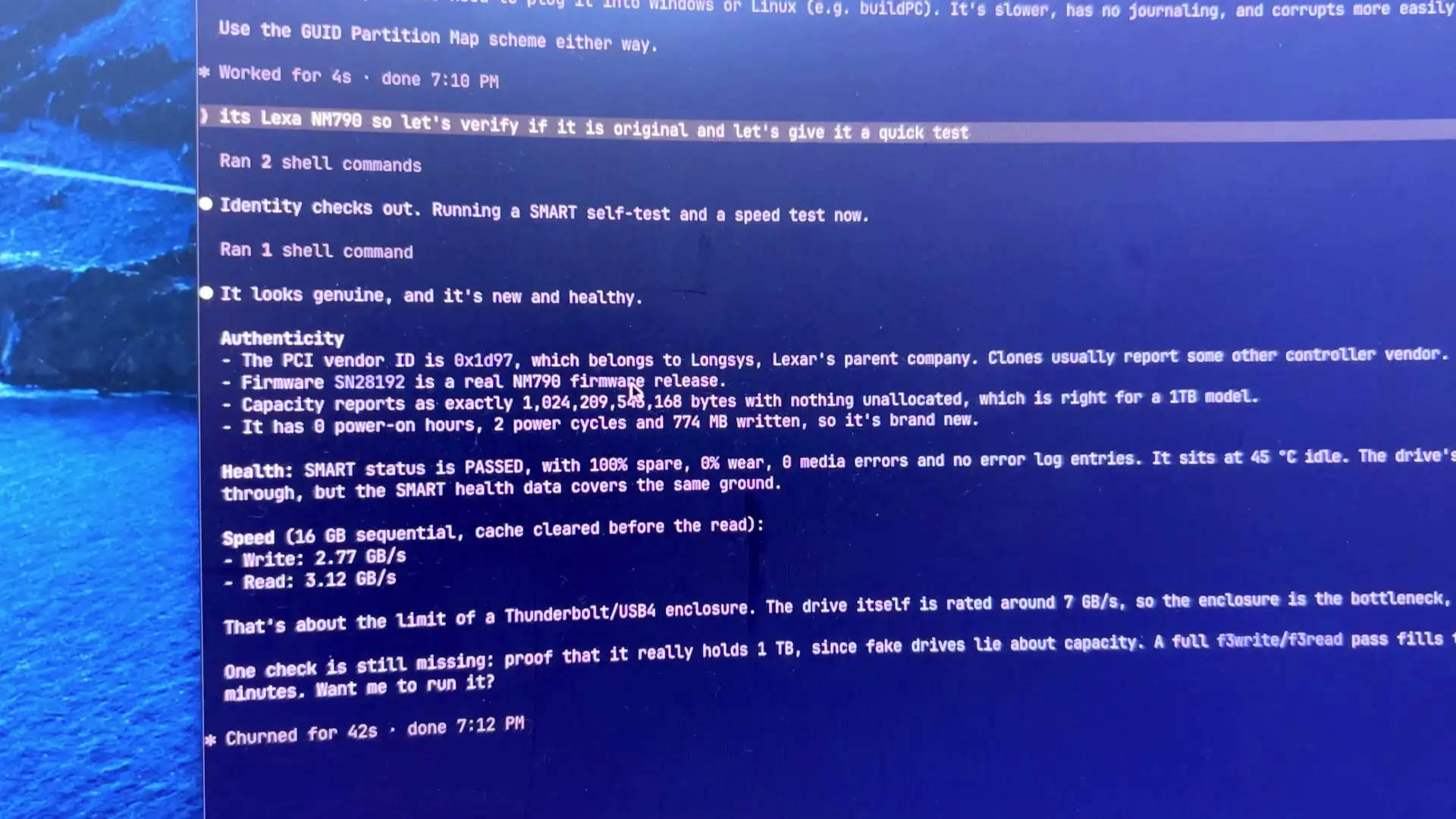
Then I told Claude it was a Lexar NM790 and asked it to check whether it was original and give it a quick test. This time the answer was what I wanted to hear: it looks genuine, and it's new and healthy.
- The PCI vendor ID is 0x1d97, which belongs to Longsys, Lexar's parent company. Claude noted that clones usually report some other controller vendor.
- The firmware is a real NM790 release.
- The capacity reports as the full 1TB, with nothing unallocated.
- It had 0 power-on hours, 2 power cycles and 774MB written, which is what a new drive should show.
- SMART passed, with 100% spare, 0% wear and no media errors.
For a quick speed test it wrote and read 16GB sequentially, and got about 2.77GB/s write and 3.12GB/s read. Claude said that's about the limit of a Thunderbolt/USB4 enclosure. The drive itself is rated around 7GB/s, so the enclosure is most likely what's holding it back. That's fine by me, since the enclosure is what I bought for. For comparison, the fake drive dropped to about 55MB/s after the first 40GB or so. I only wrote 16GB to the Lexar, so I can't say how it holds up on a write that long.
One check is still missing. Fake drives can lie about their capacity, and the way to prove the full 1TB is real is to fill the whole drive and read it back. That would have taken a long time, so I didn't do it for this video.
My verdict
This time it worked out. The Lexar NM790 passed every check Claude ran, its SMART data is what a new drive should show, and in the UGREEN enclosure it gives me fast external storage for the MacBook. The lesson from both videos: buy new, from big sellers, and check the drive as soon as you plug it in.
Where to buy
This article contains affiliate links. If you buy through them, I may earn a commission at no extra cost to you.
Is this for you?
Who it’s for
Get it if you want an NVMe drive to put in a USB4 or Thunderbolt enclosure for extra Mac storage, and you buy it new from a big seller. Check it when it arrives, and run a full capacity test if you want certainty.
Who should skip it
Skip the external route if you need the drive's full rated speed; inside an enclosure you get roughly what the enclosure allows. And skip used or unknown-seller listings if you can't check the drive yourself.
Watch the review
Open on YouTubeDisclosure
Hero and evidence images are frames from original Gadget Hunting with RR footage, captured firsthand.
This review contains an affiliate link. See our affiliate disclosure for details.